Site-verified clock in
Location is checked when someone clocks in and matched to the job site. That evidence stays with the shift, so payroll questions have answers.
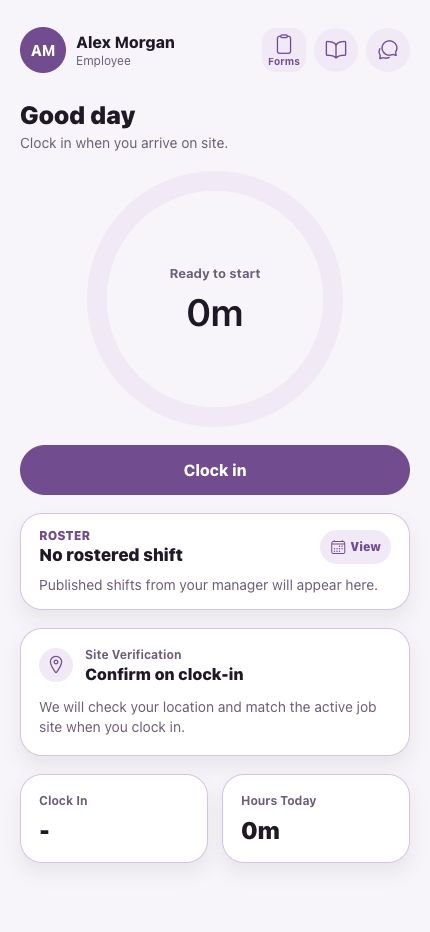
Clock in app for trade crews
Your crew taps Clock in when they arrive. Motssa checks they're at the job, starts the paid shift timer and keeps the evidence with the shift, so Friday's timesheets aren't written from memory.
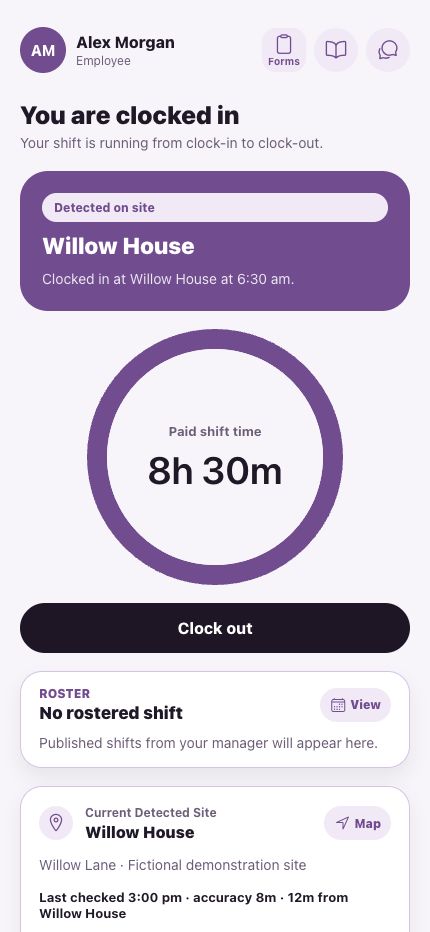
Location is checked when someone clocks in and matched to the job site. That evidence stays with the shift, so payroll questions have answers.
The shift runs from clock-in to clock-out, and My Week shows the hours for payroll with unpaid breaks applied.
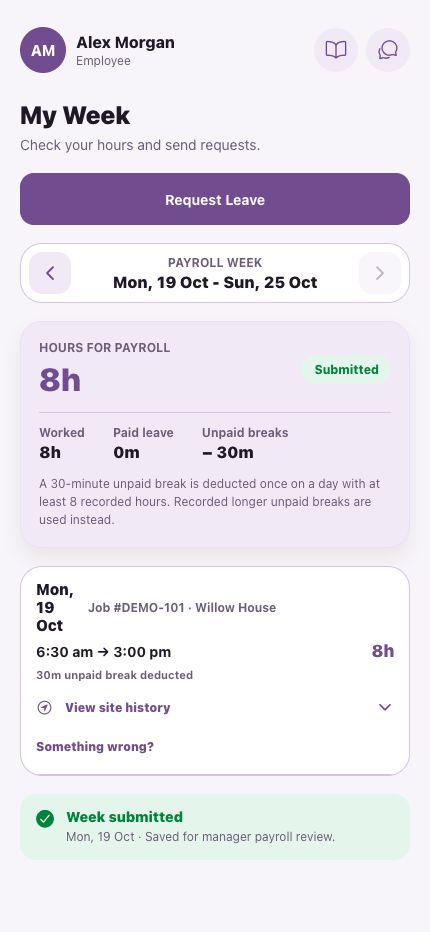
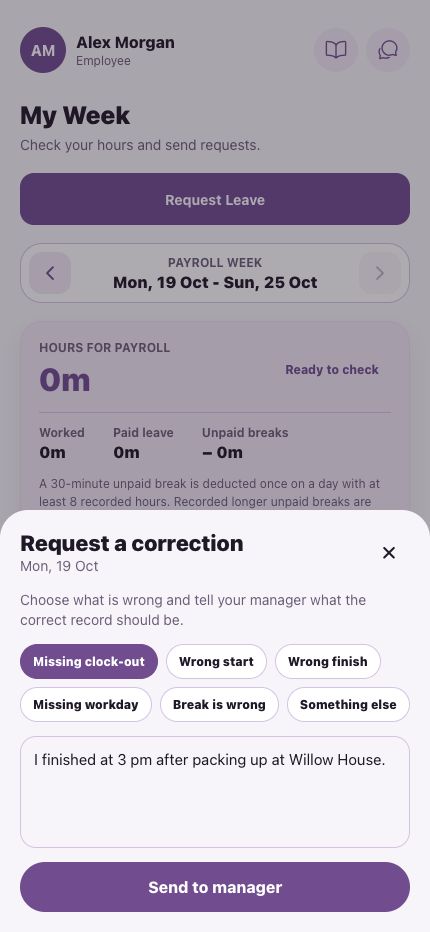
The day comes back in My Week. The worker explains what happened, the manager approves, and the correction stays on the record.
Yes. The crew app runs on both, and managers can also use Motssa in the browser.
Site verification checks the phone's location when they clock in and matches it to the job. That evidence stays with the shift.
No. Location is captured at clock-in and clock-out, and checked periodically while someone is clocked in. Checks stop when they clock out.
The day is flagged in My Week as needing a finish. The worker sends a correction with a reason and a manager approves it, so the record stays honest.
Book a walkthrough and we'll map Motssa to your crews, your sites and your pay run.